
CVV Ministries
Instal on your Phone/Tablet
How to install CVV Ministries on your device.
The CVV Ministries website was designed with phones and tablets in mind, offering a clean, fast, and app-like experience.
By installing it on your home screen, you can access the site just like a native app — no App Store or Play Store download required.
Why Install CVV Ministries?
⚡ Fast Access
Open CVV Ministries instantly with one tap from your home screen.
📱 App-like Experience
A distraction-free, mobile-optimized layout that feels like a real app.
🙏 Spiritual Growth
Access devotionals, studies, and Christian resources anytime.
Step 1 – Open the Website
📱 On iPhone / iPad (Safari)
Open the Safari browser.
👉 Go to: https://www.cvvnet.org
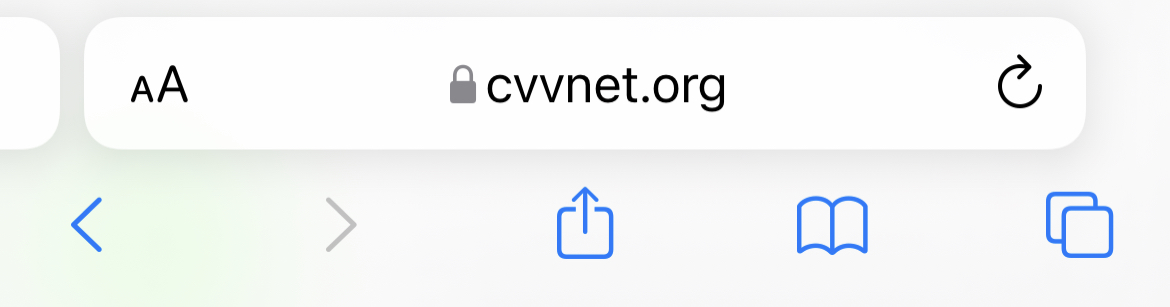
Make sure you are viewing the English version of the site.
📤 Find the Share Action
With the CVV Ministries website open in the browser, find the Share action.
This is usually available at the bottom of the screen.

Step 2 – Add to Home Screen (iOS)
⚡ Initiate Installation
Tap the Share icon at the bottom of Safari.

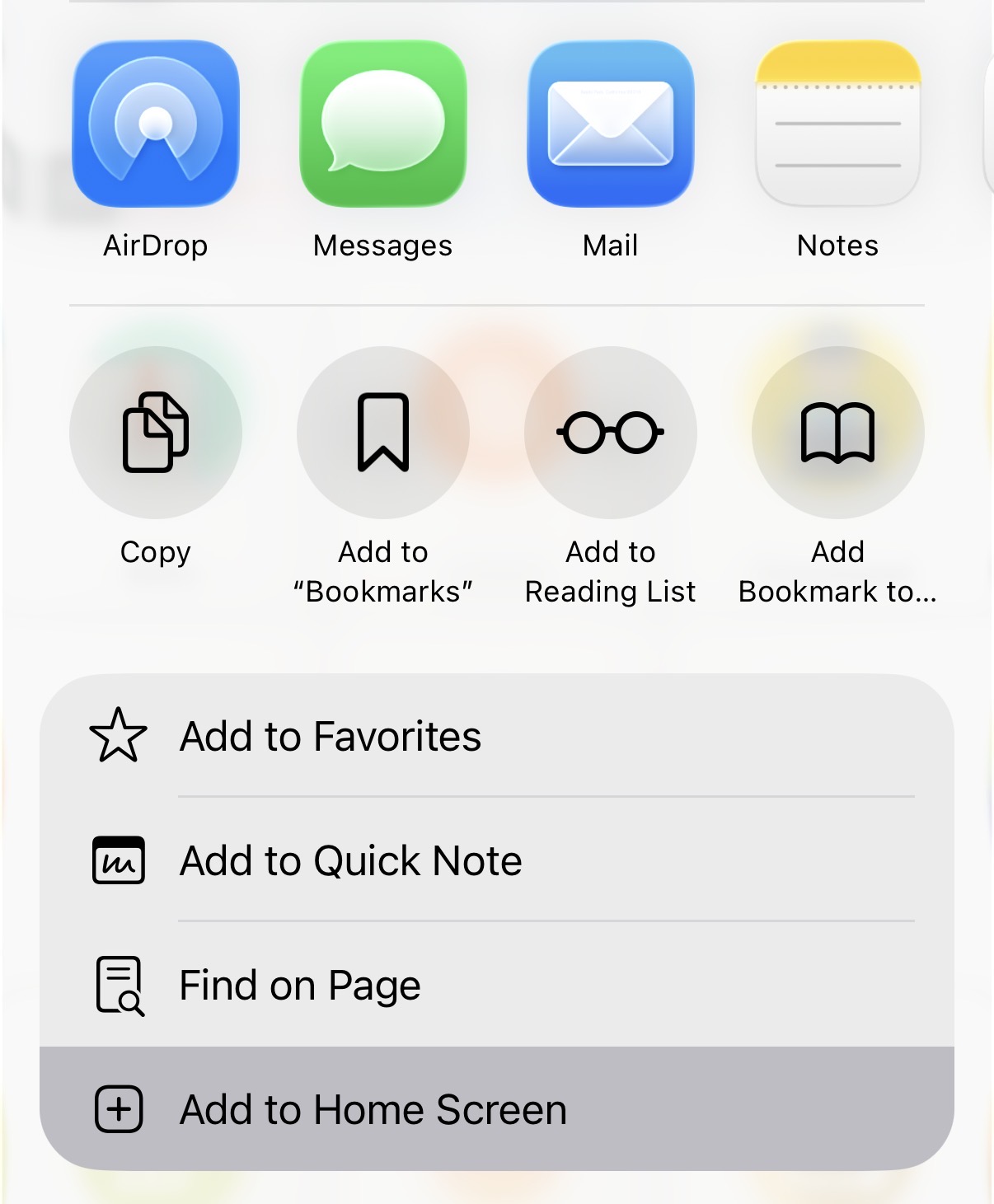
🏠 Add to Home Screen
Scroll until you find the Add To Home Screen option.
🙏 Finish Installation
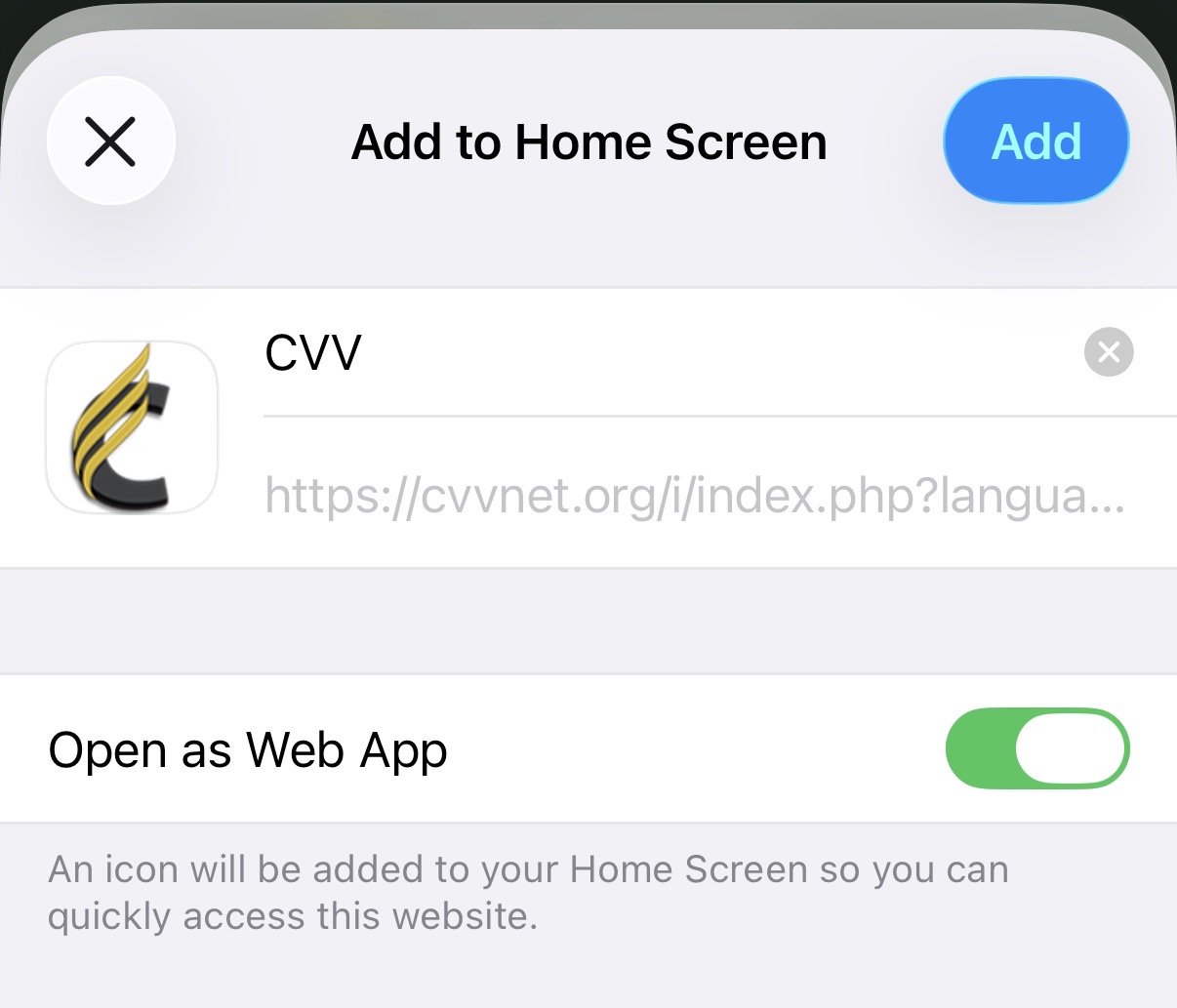
The Add to Home Screen dialog appears.
- Choose a name for the app (the default is fine).
- Tap Add in the top-right corner.
Android Instructions (Chrome)
- Open Chrome.
- Go to https://www.cvvnet.org.
- Tap the three-dot menu (⋮).
- Select Add to Home screen.
- Tap Add to confirm.
Share the Blessing ❤️
If this tool has blessed you, please share it with your friends and family.
In a world full of distractions, let’s redeem some of our screen time by learning more about God, His Word, and His love.
“But seek ye first the kingdom of God, and his righteousness; and all these things shall be added unto you.”